Sees, not just reads
It looks at the picture (shake, focus, scenery, repeated shots) and listens to the sound (laughter, screams, silence), not only the words.
 SwitchLog
For streamers who broadcast for hours and publish the cut
Drop hours of raw footage. SwitchLog watches the picture, listens to the sound, keeps what an editor would keep, and finishes the video and its shorts with captions, sound and music. On your Mac, with nothing uploaded.
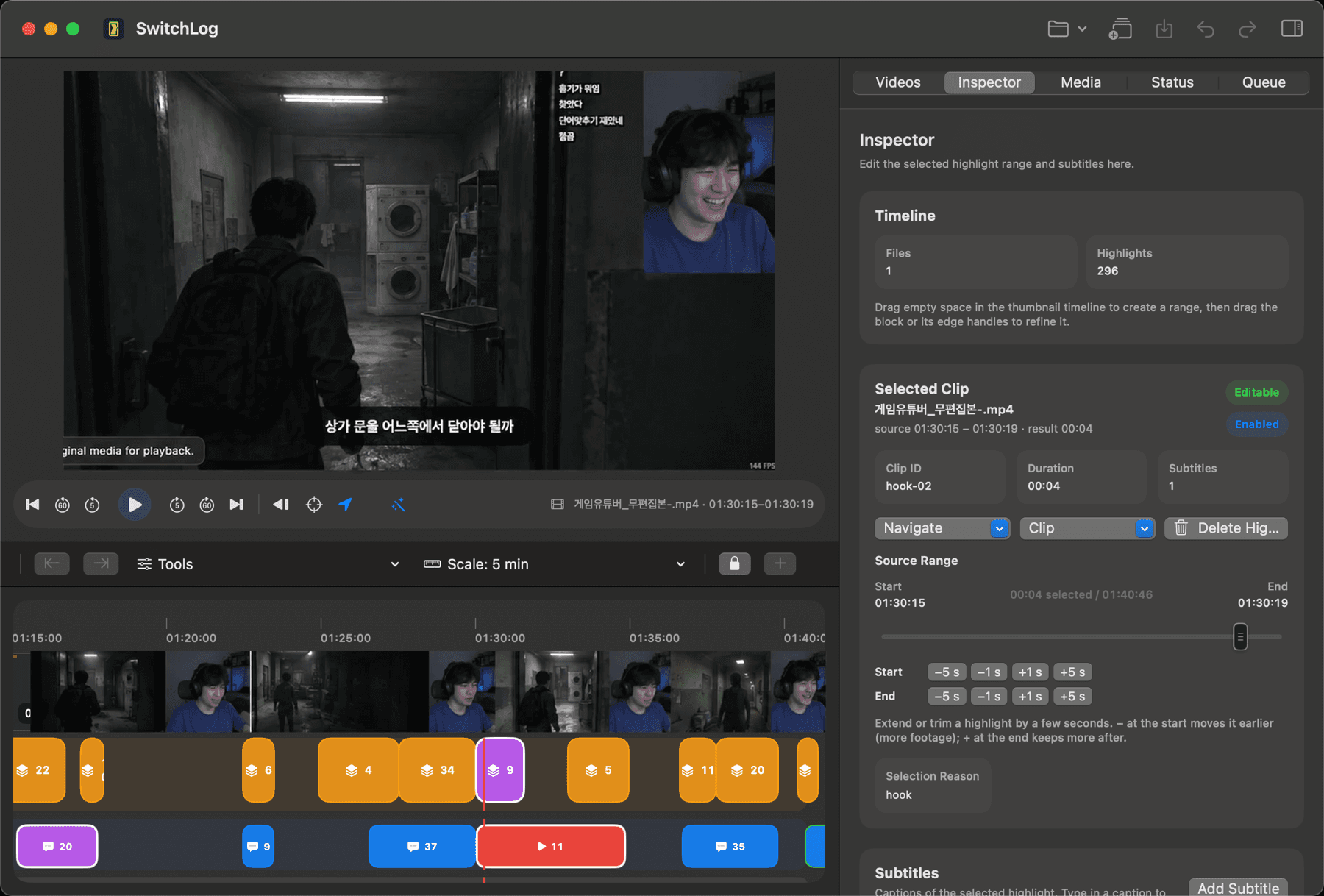
Real runs, our own footage
Three finished projects from the footage we develop on. Lengths and counts only: how close a cut is to a creator's own edit is measured separately, and published only when held out.
Measured 2026-09-25 on an Apple silicon Mac from the engine's own project files. Nothing here says the cut is good; that is what the agreement report is for.
From one recording
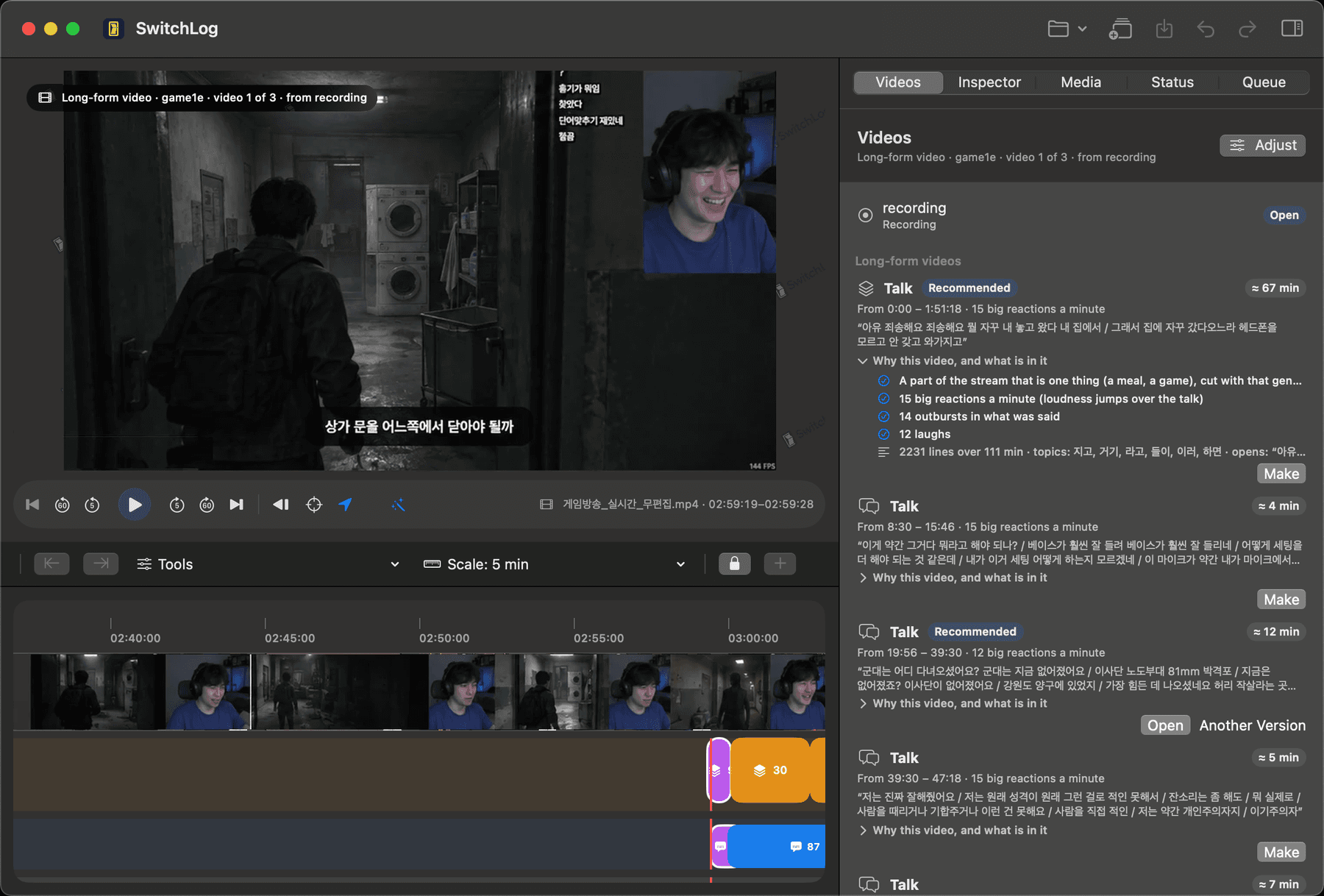
A long stream is offered as the videos inside it: a round, a talk topic, a part that is one thing. Every finished cut then offers the shorts it could give. Each card says why it is there and what is in it, and you decide.
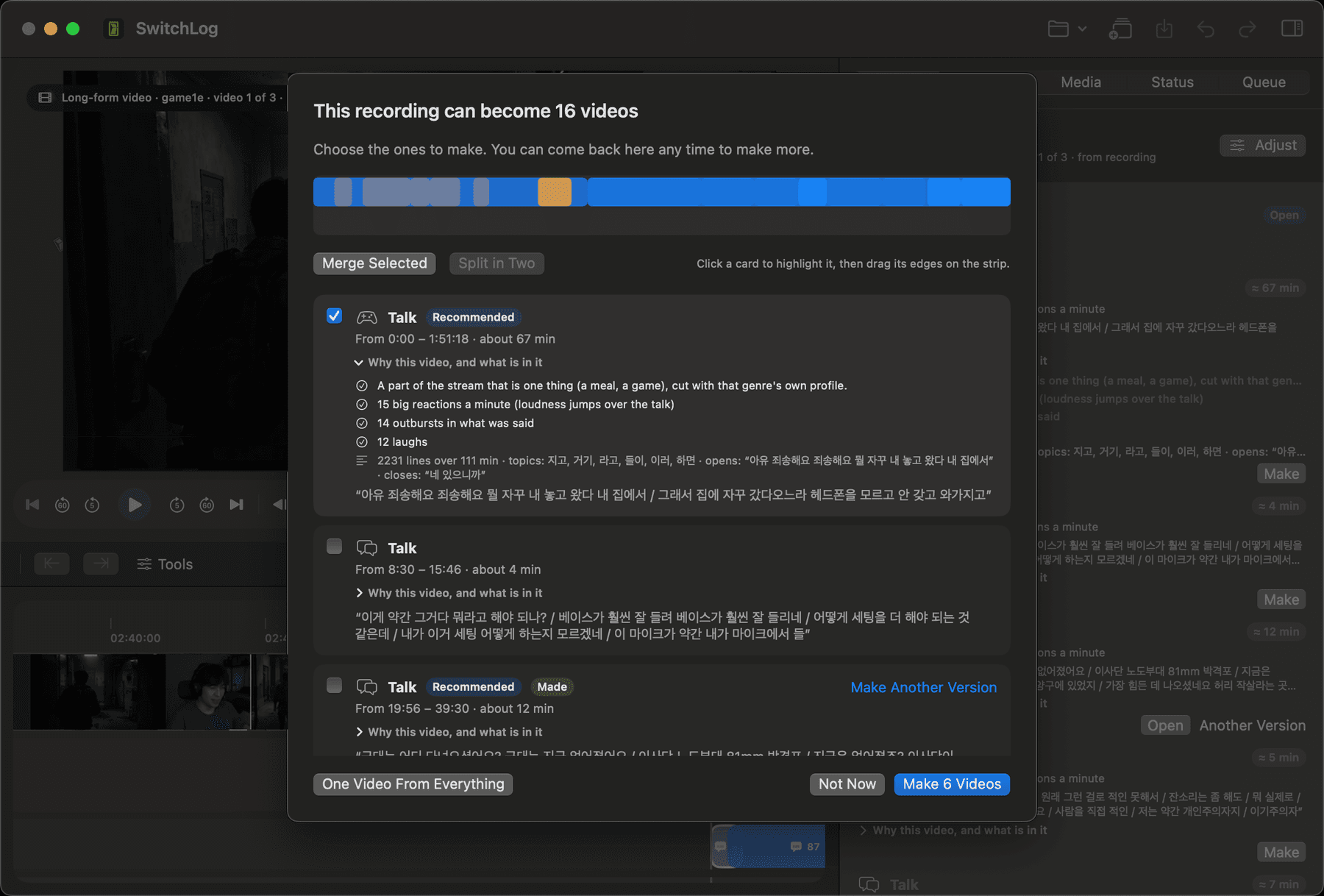
Choose which videos to make: every stretch with its reasons, its summary and its first words; merge two or split one on the strip
A round, a talk topic, a part that is one thing. Each card says where it starts and ends, how many big reactions a minute it has, why it is offered and what is said inside. You tick the ones you want.
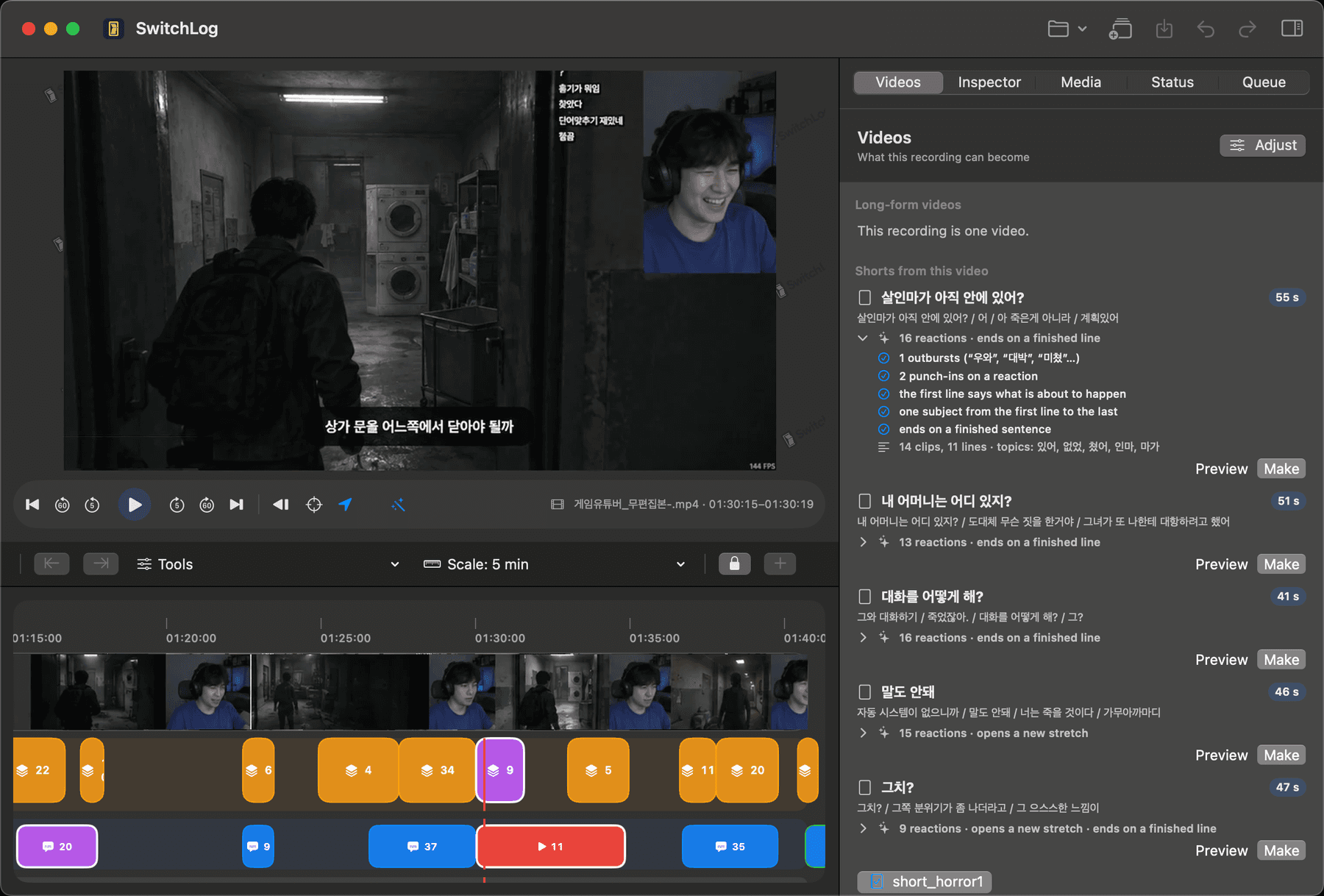
Twenty-five to fifty-five seconds that open on a thought and end on a finished line, best first, reactions counted. One click per short.
How it works
Three steps, one decision that is yours: the format and the genre. Everything else is the engine's job, and when it is unsure it falls back to a safe default.
Drag in the recording or the day's files. Several files are joined in the order they were shot.
Choose long-form or shorts, pick the genre: gaming, talk, travel, food, beauty. Press once.
Export the video and its shorts with captions, sound effects, music and your intro and outro. A title is suggested too.
What's different
Most tools take a finished video and read its transcript. SwitchLog takes the raw footage and treats it the way an editor does.
It looks at the picture (shake, focus, scenery, repeated shots) and listens to the sound (laughter, screams, silence), not only the words.
It builds the long-form cut in order first, then takes the shorts out of that cut. Not a bag of clips.
Register your channel's names and nicknames once; the captions spell them your way.
Effects and music are placed on a per-genre budget from your own packs: about five a minute for gaming, three for talk, fewer for the rest.
For each genre we matched real creators' raw footage against what they published, second by second, and turned what they keep and where they open and close into rules: a conversation whole, a round through its reveal, the first bite through the verdict.
No upload, no per-minute billing, and the whole pipeline up to the preview is free without an account.
Compared with clip tools
Most AI editors take a finished video or a link, read the transcript and hand back clips. SwitchLog starts earlier and ends later.
We fit an organisation profile from pairs of your channel's published edits and their raw footage. It sits on top of the genre profile and moves the cut toward the channel's habits: how long a reaction is held, what is thrown away, where the shorts come from. Individual users start from the genre profiles; this fitting is part of a pilot contract.
Why now
Vision, speech and selection models that needed a server two years ago now finish inside a MacBook. Every minute processed costs us nothing, so the price can be flat.
Streamers broadcast for hours and publish a fraction. The cut, the shorts, the captions and the sound are the hours nobody wants.
Every raw recording with its published edit is a measured example. We collect such pairs per genre, fit the profiles on them and check them on pairs we did not fit on. In an enterprise pilot the channel's own pairs fit an organisation profile that becomes its house style.
The server does three things: sign you in, confirm your subscription and hand your profile file to your Mac. The app holds no key beyond the server's address.
With Apple silicon, all of this now finishes inside a laptop.
Pricing
Run the whole pipeline on your own footage. Pay only for the finished file.
FAQ
A Mac with Apple silicon on macOS 14 or later, and about 12 GB of disk for the models, downloaded once on first launch.
MP4, MOV, M4V, MKV and AVI: camera files, phone clips, stream recordings from OBS or similar, and Insta360 originals.
No. Analysis, transcription and rendering run on your Mac. The server sees your sign-in, your subscription state and, if you opt in, anonymous usage events.
Leave your email and we write once, when SwitchLog ships. Nothing else.